
No VaaniFlow account
Install Vaani and configure it without creating an account or signing in.
Vaani for Windows · Open-source dictation
Hold a shortcut, speak naturally, and release. Vaani transcribes into the Windows app you are already using, with optional cleanup, app-aware writing styles, dictionary terms, and reusable snippets.
Windows 10/11 · Your own Azure OpenAI Whisper deployment · Optional language model for cleanup and styles
The desktop workflow
Vaani is the Windows application. VaaniFlow is the open-source project behind it. The app listens on demand, processes the result, then returns you to the work already open.
Install Vaani and configure it without creating an account or signing in.
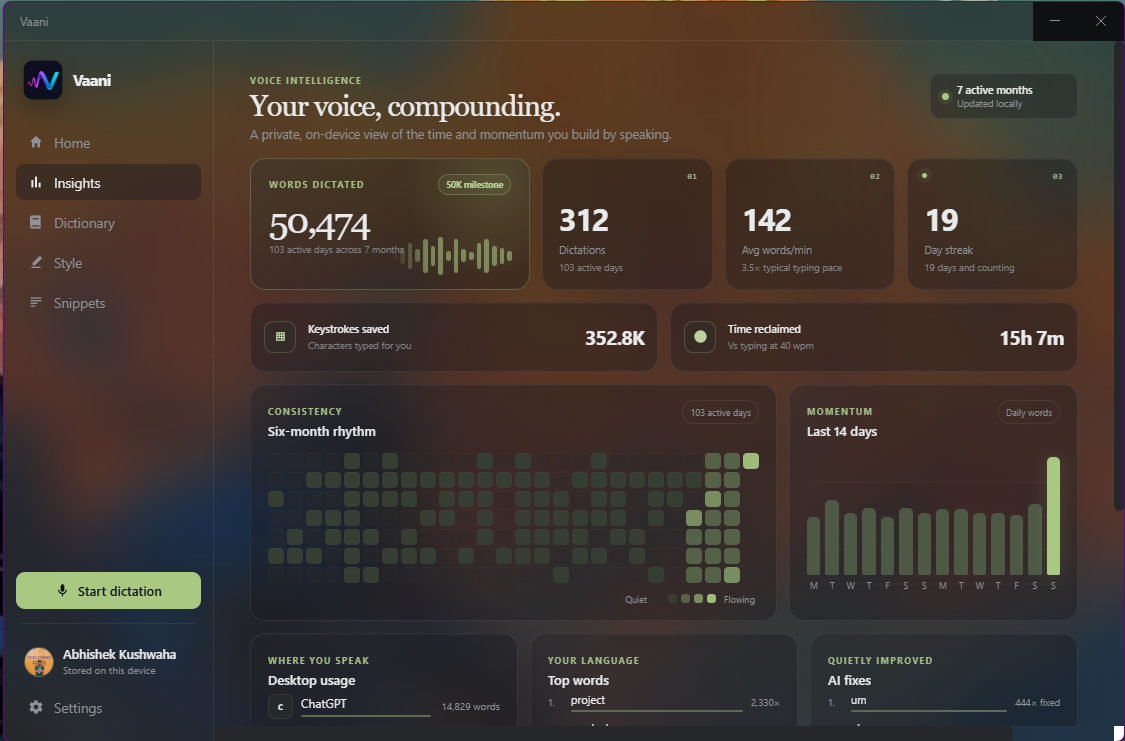
Settings, history, dictionary entries, snippets, insights, and profile details stay on this device.
Speech and optional language-model requests use the Azure OpenAI deployments you configure.
The project is MIT licensed, developed in public, and available to inspect or contribute to.
Vaani has no hosted VaaniFlow account or sync service. Provider requests go directly to the Azure OpenAI resource you configure.
The default interaction
The sequence is intentionally short: stay in the application you are using and let the shortcut carry the text back to the cursor.
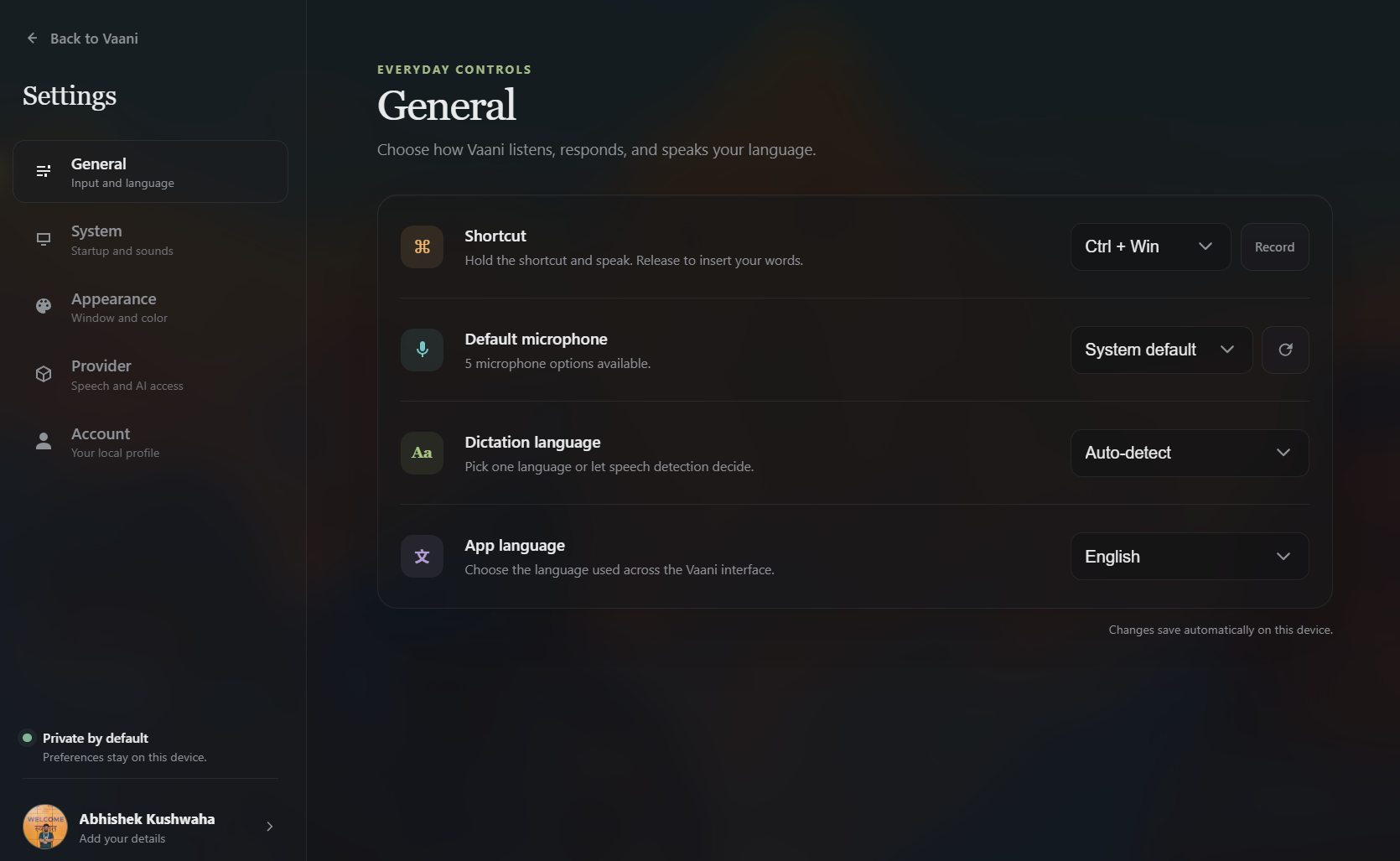
Hold Ctrl + Win from the Windows text field where you want the words to appear.
Keep working in the same app while Vaani records and transcribes your thought.
Release the shortcut. Vaani processes the result and inserts it at your cursor.
Prefer not to hold a shortcut? A quick tap starts hands-free recording; use the shortcut again when you are finished.
Built around the words
Vaani gives the transcript context after it arrives: how it should read, which words matter, what phrases should expand, and what happened over time.
Use push-to-talk or hands-free recording while messages, documents, terminals, and forms remain in front of you.
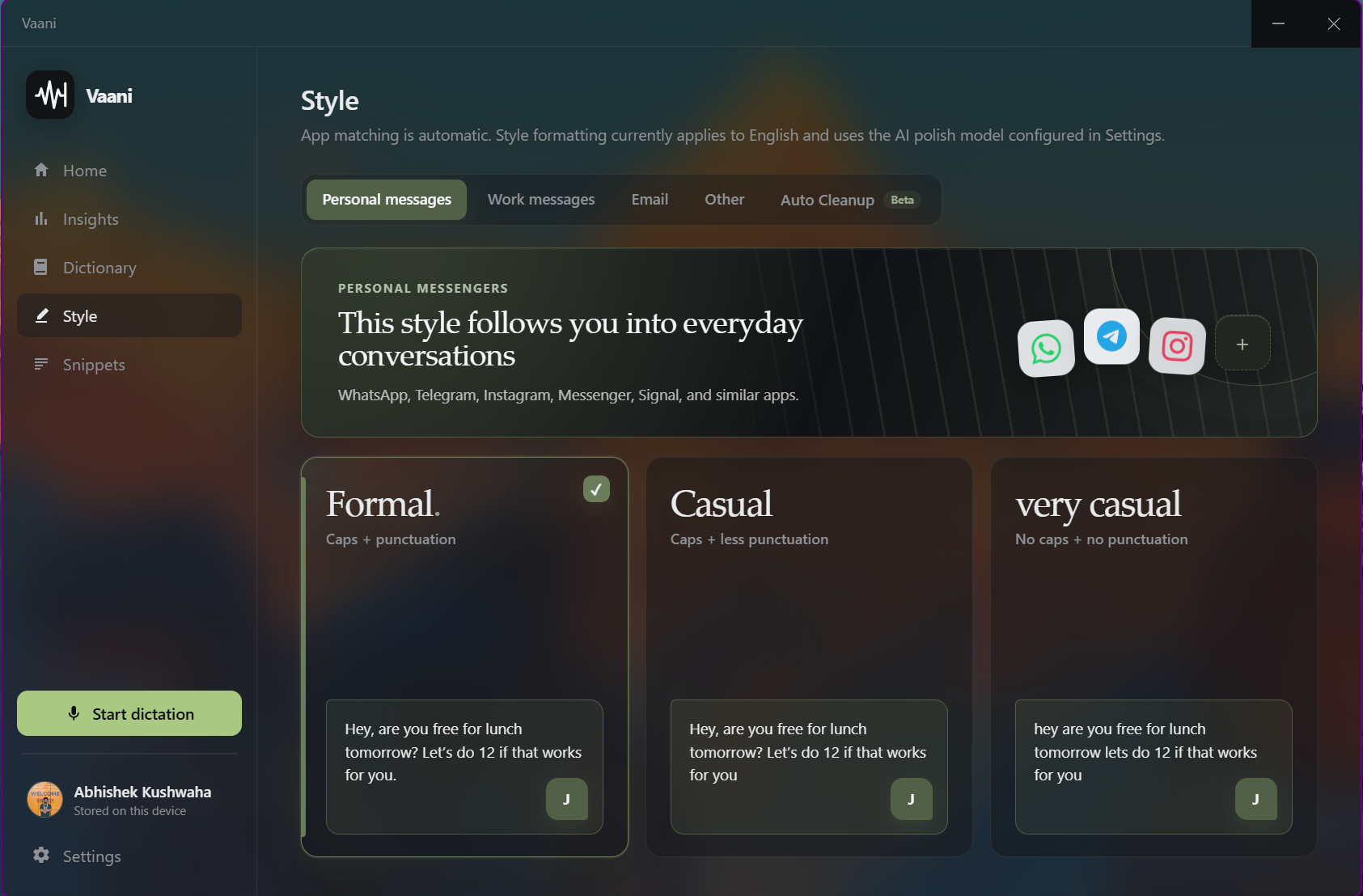
Optional cleanup can remove filler and adjust wording. App-aware styles help messages, email, and longer writing sound appropriate without changing the intent.
Requires the optional language-model deployment you configure.
Keep names, jargon, acronyms, preferred spellings, and repeatable blocks of text close to the dictation workflow.
Search local history and review word counts, dictation speed, streaks, and application usage without sending an analytics profile to VaaniFlow.
Inside Vaani
The desktop app keeps vocabulary, writing styles, reusable phrases, and everyday controls visible without turning dictation into another workspace to manage.
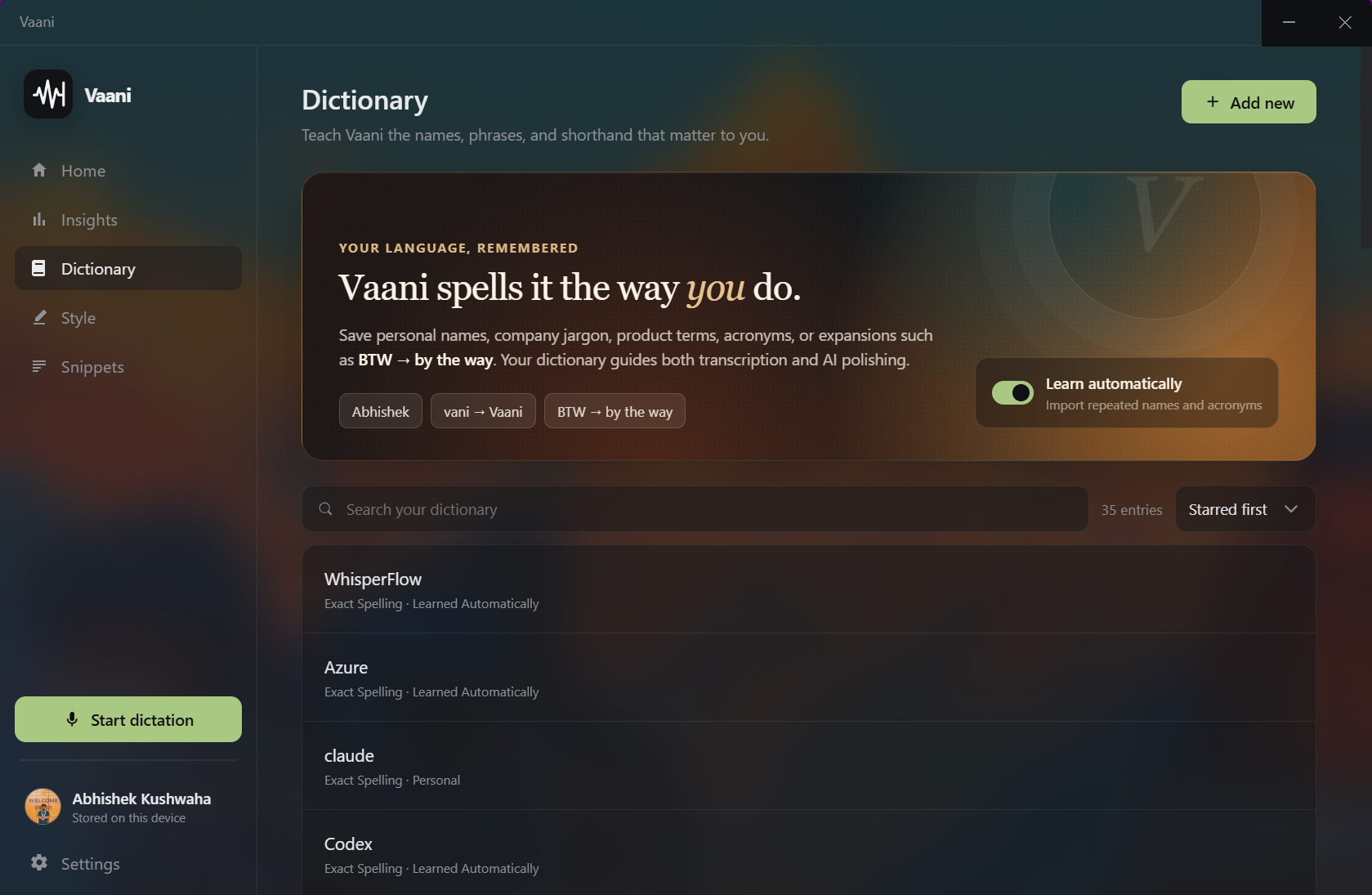
Save exact spellings and recurring terms, then let Vaani learn repeated names and acronyms as they appear in your dictation.
Choose how personal messages, work messages, email, and other writing should read after transcription.
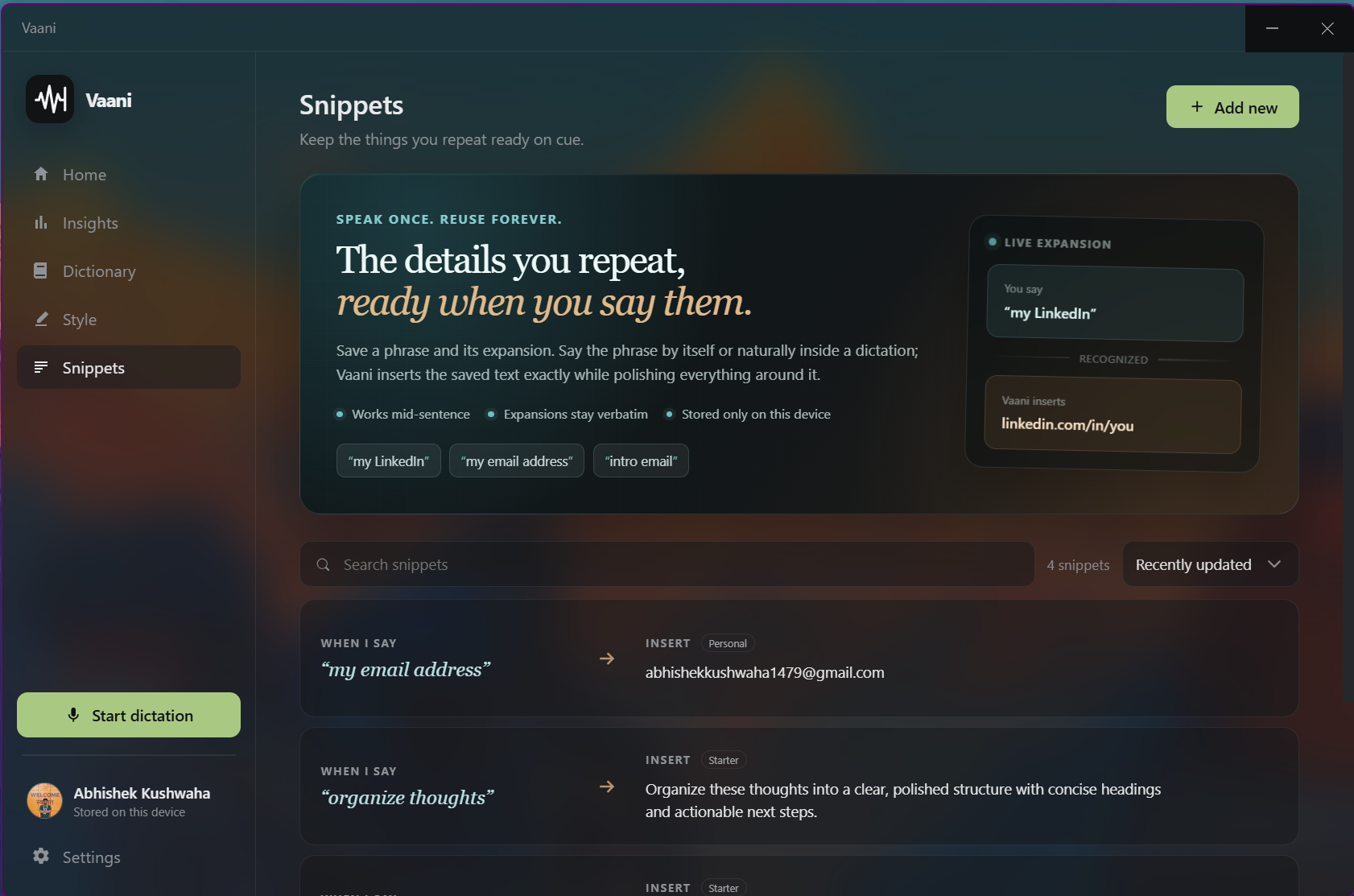
Speak a saved phrase naturally and insert its full expansion while the surrounding dictation keeps its polish.
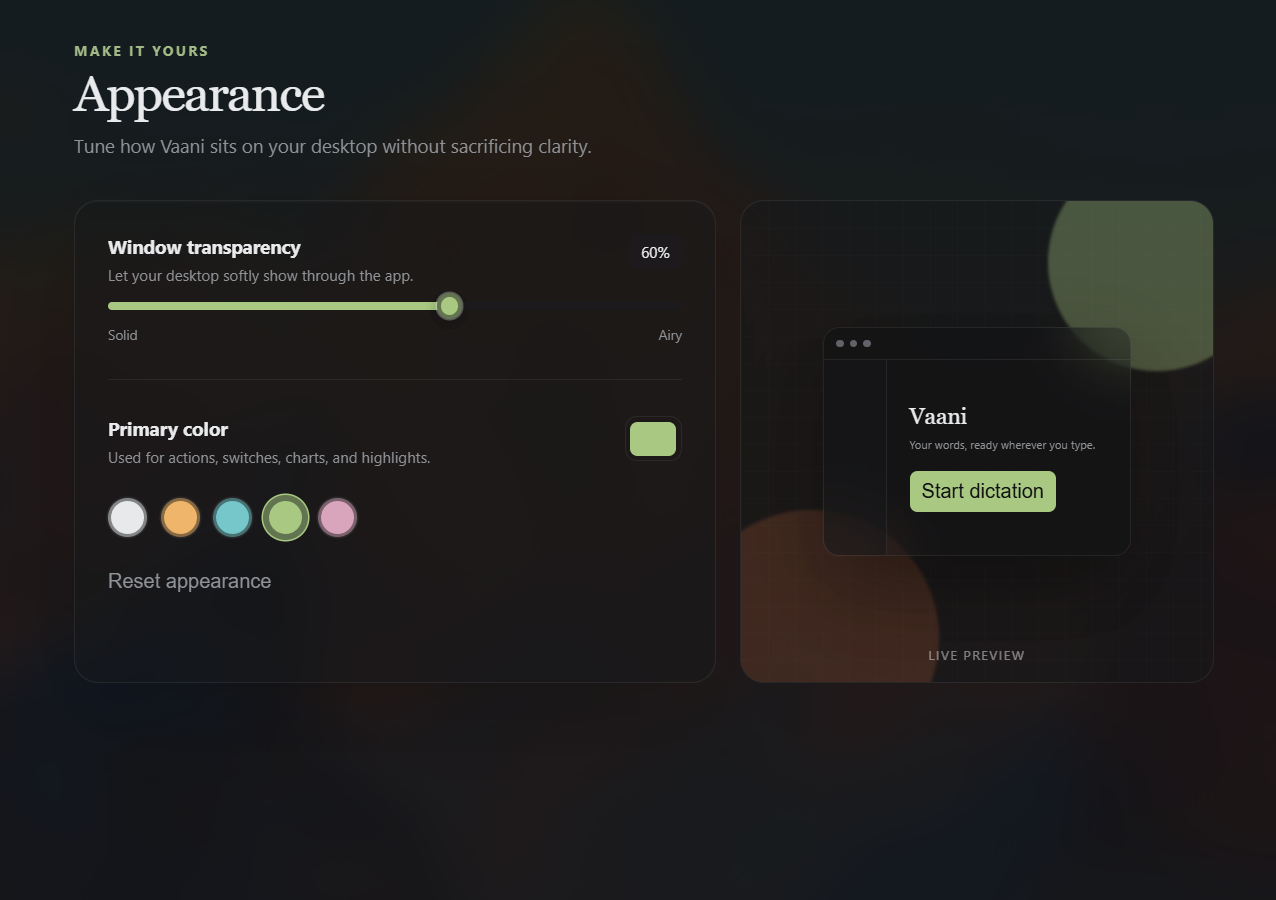
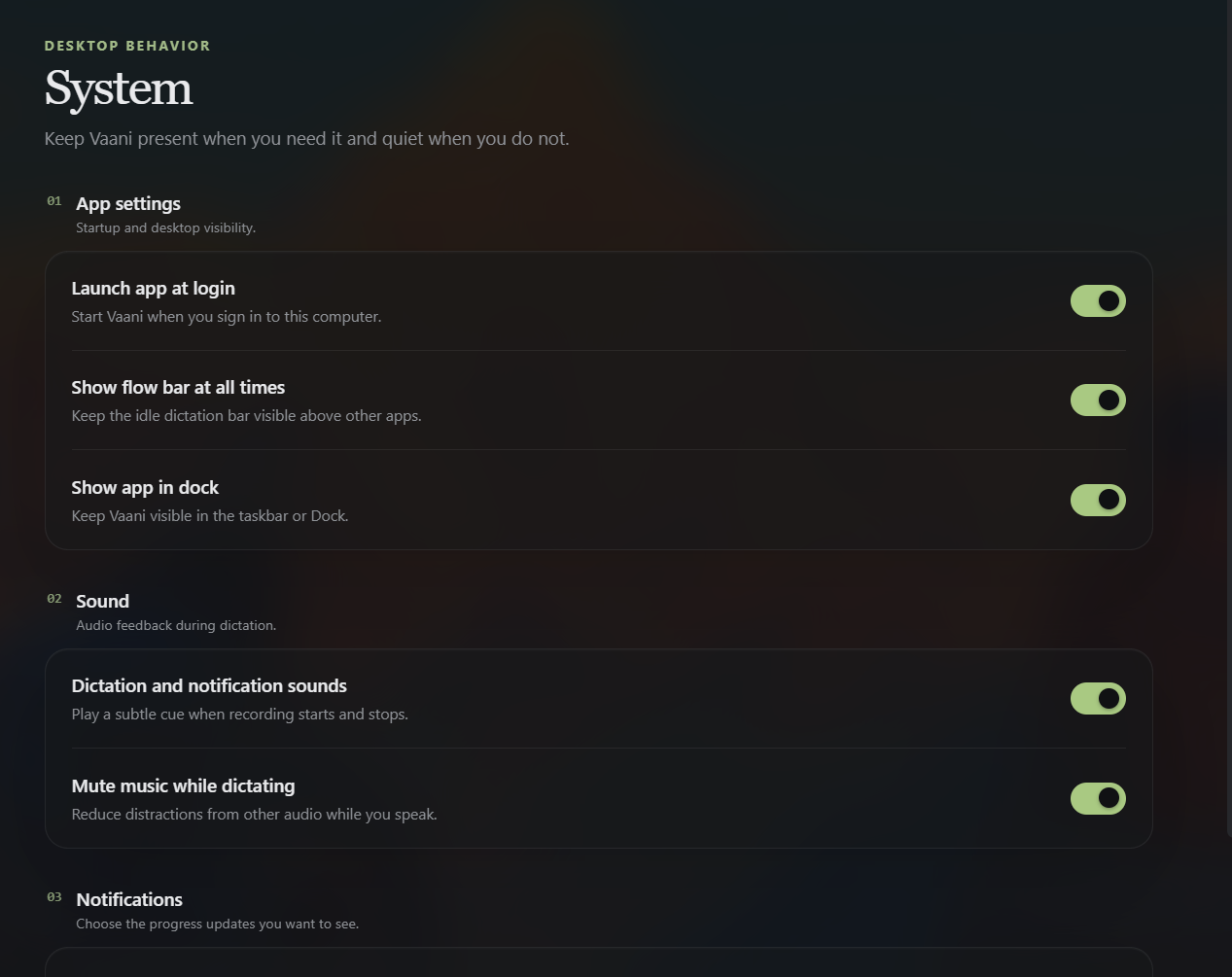
Shortcut, language, appearance, startup, sound, and notification controls stay local and explicit.
Clear data boundaries
VaaniFlow does not operate an account or sync service. Vaani stores its working data locally, while speech and optional cleanup use the Azure OpenAI resource you connect.
Optional path: transcript → your configured language-model deployment → cleaned or styled text → Vaani
Azure availability, rate limits, and usage charges are governed by the Azure resource you connect. VaaniFlow does not proxy these requests or add a hosted subscription.
Before you install
Provider details are entered in Settings → Provider and saved locally. You can use dictation with Whisper alone; cleanup and writing styles are optional.
Vaani is MIT licensed and has no VaaniFlow subscription. Usage charges from your configured Azure resource may apply.
Built in public
VaaniFlow is published under the MIT license. Read the implementation, follow releases, open an issue, or contribute an improvement.
Ready when the cursor is
Configure your Azure speech deployment, choose a shortcut, and start dictating into Windows text fields.